This module allows you to manage your stock, monitor low stock levels, and make stock adjustments as needed.
RM Stock Overview
In this section, you will learn how to manage your RM stock list, apply filters, and perform essential stock-related operations.
What is Floating Stock?
Floating Stock refers to stock that is currently assigned to production and is in progress.
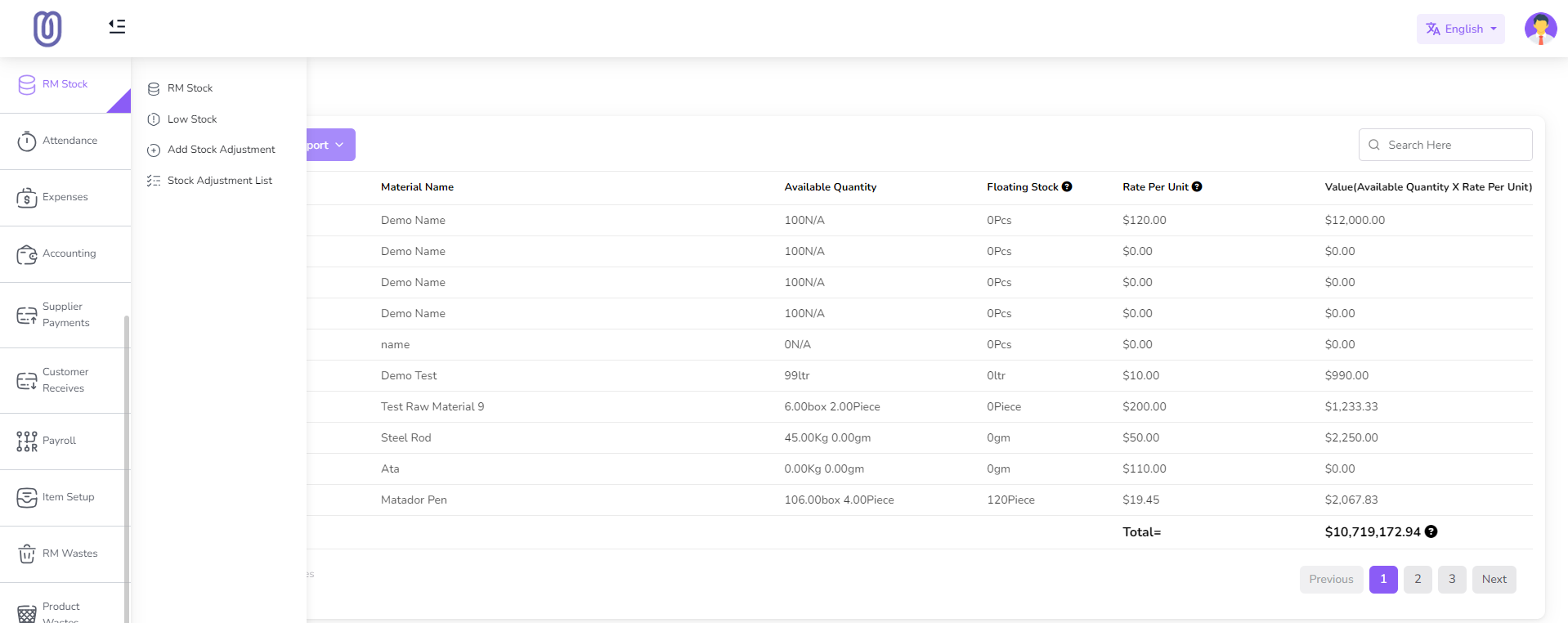
Accessing the RM Stock List
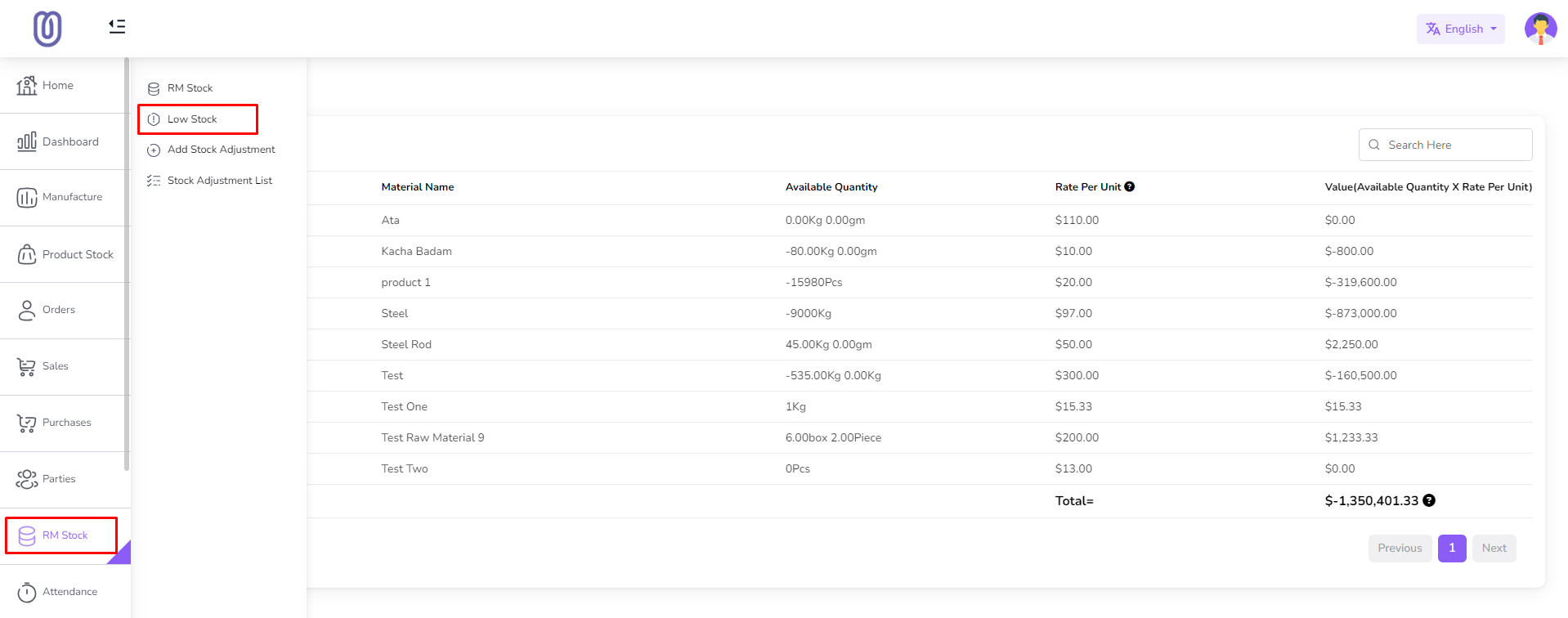
- Navigate to the RM Stock section from the left sidebar.
- Click on RM Stock.
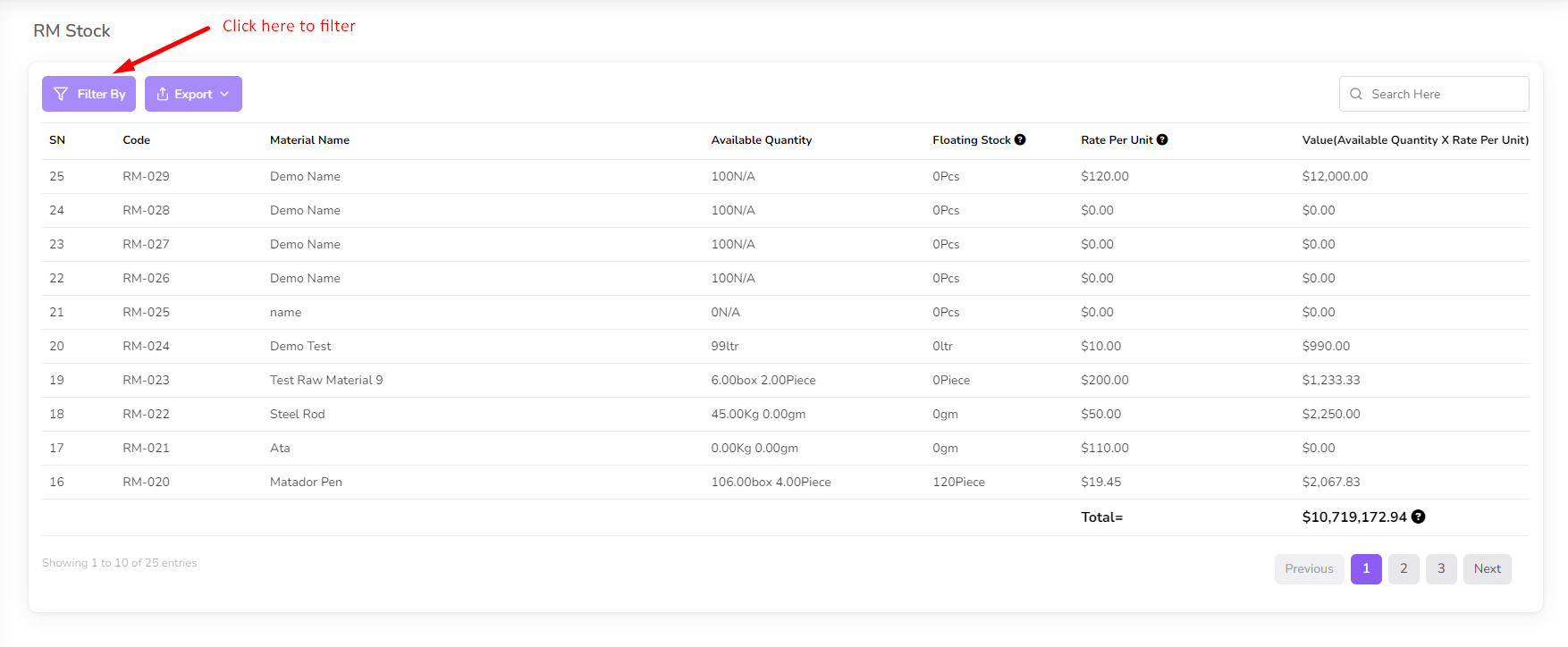
The RM Stock list page displays all raw materials, including:
- Available Quantity
- Floating Stock
- Rate per Unit
- Total Value
Filtering RM Stock
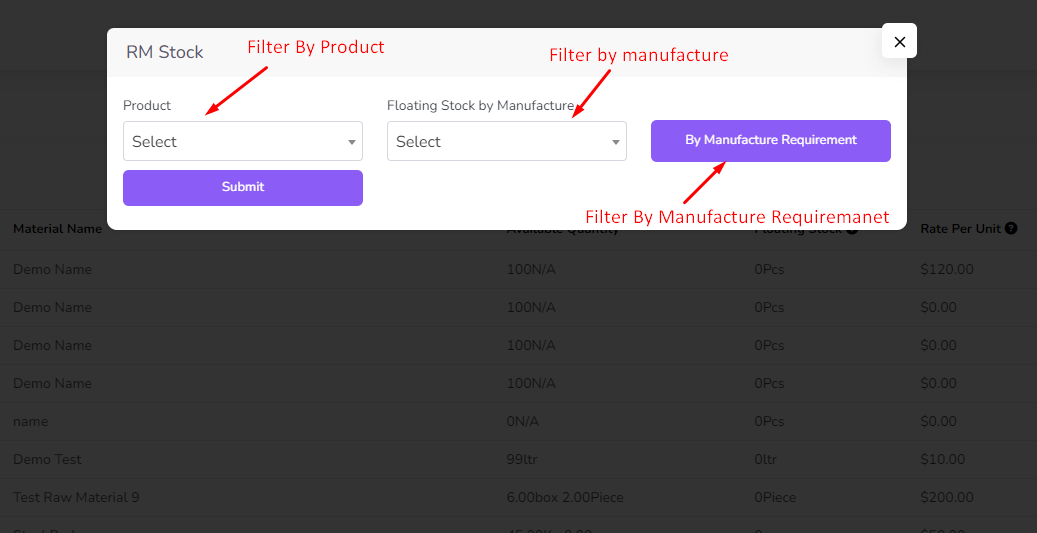
- Click on the Filter button to open the filter modal.
- You can filter by:
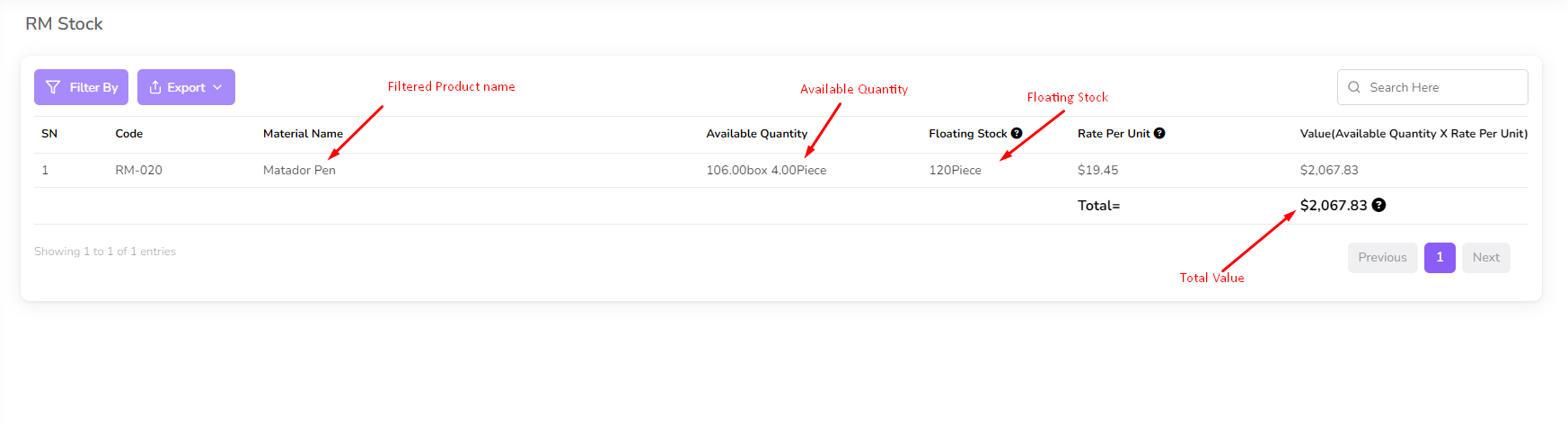
- Product: Select a product from the dropdown menu and click Submit.
- Manufacture: Select a manufacture from the dropdown menu and click Submit.
- Manufacture Requirement:
- Click on By Manufacture Requirement.
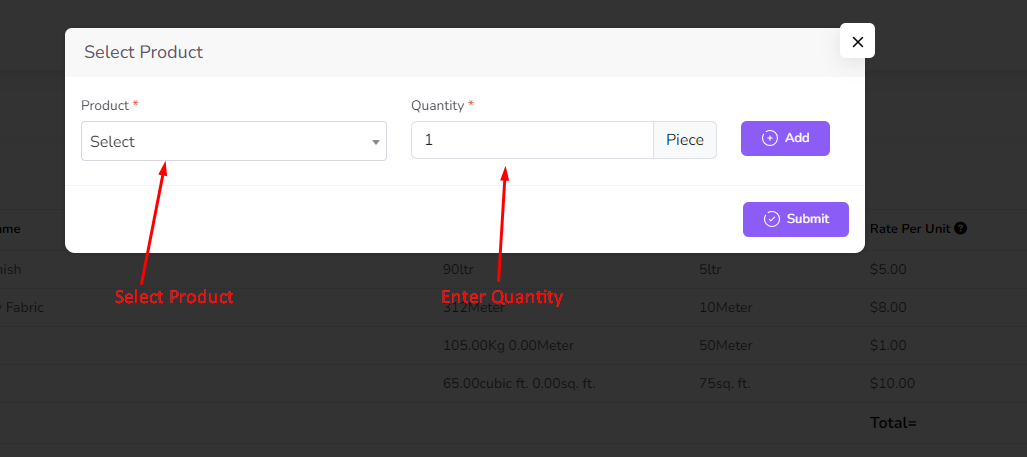
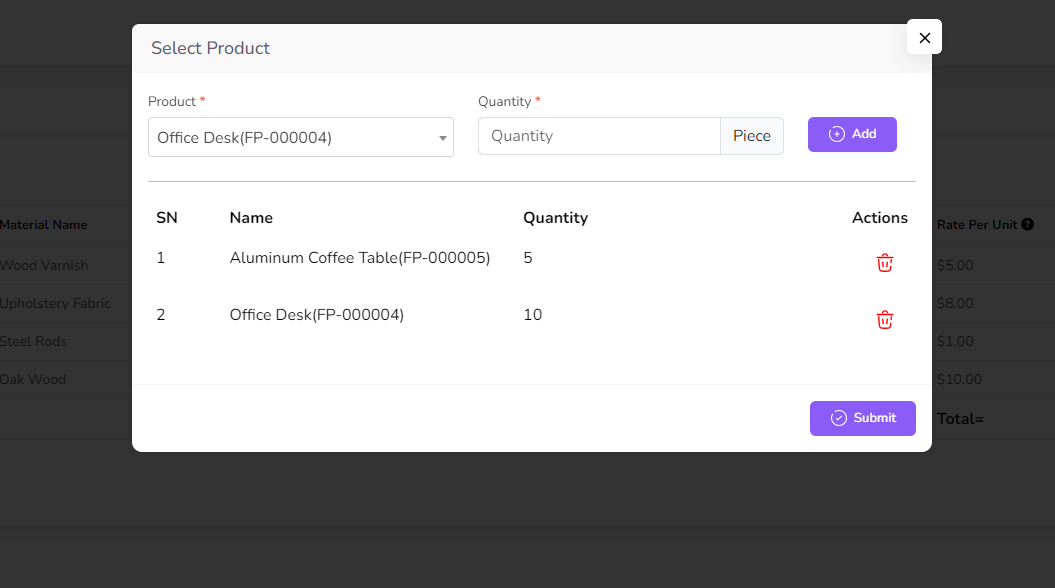
- A modal will appear, allowing you to select multiple products and quantities.
- Click Submit, and the list will be filtered accordingly.
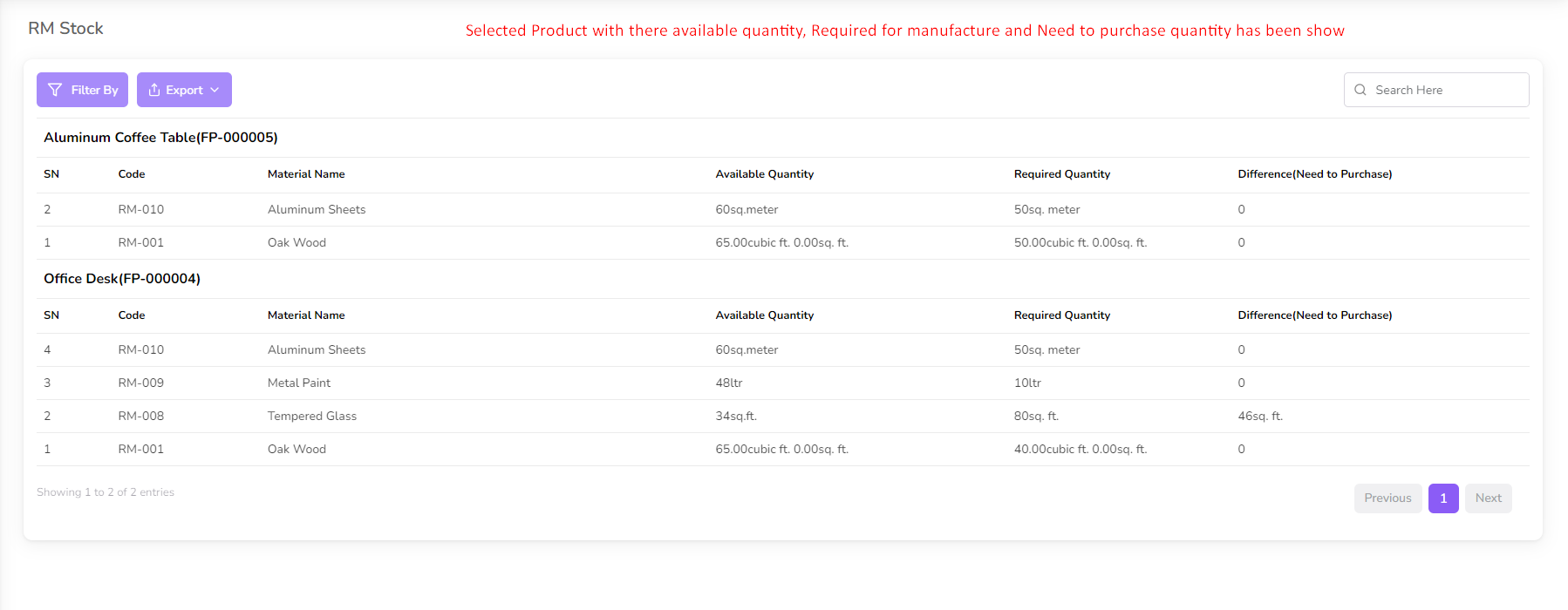
The list displays every product's available stock, required quantity for production, and any additional quantity needed for purchase.
Low Stock Management
To view low stock levels:
- Navigate to the RM Stock section from the left sidebar.
- Click on Low Stock.
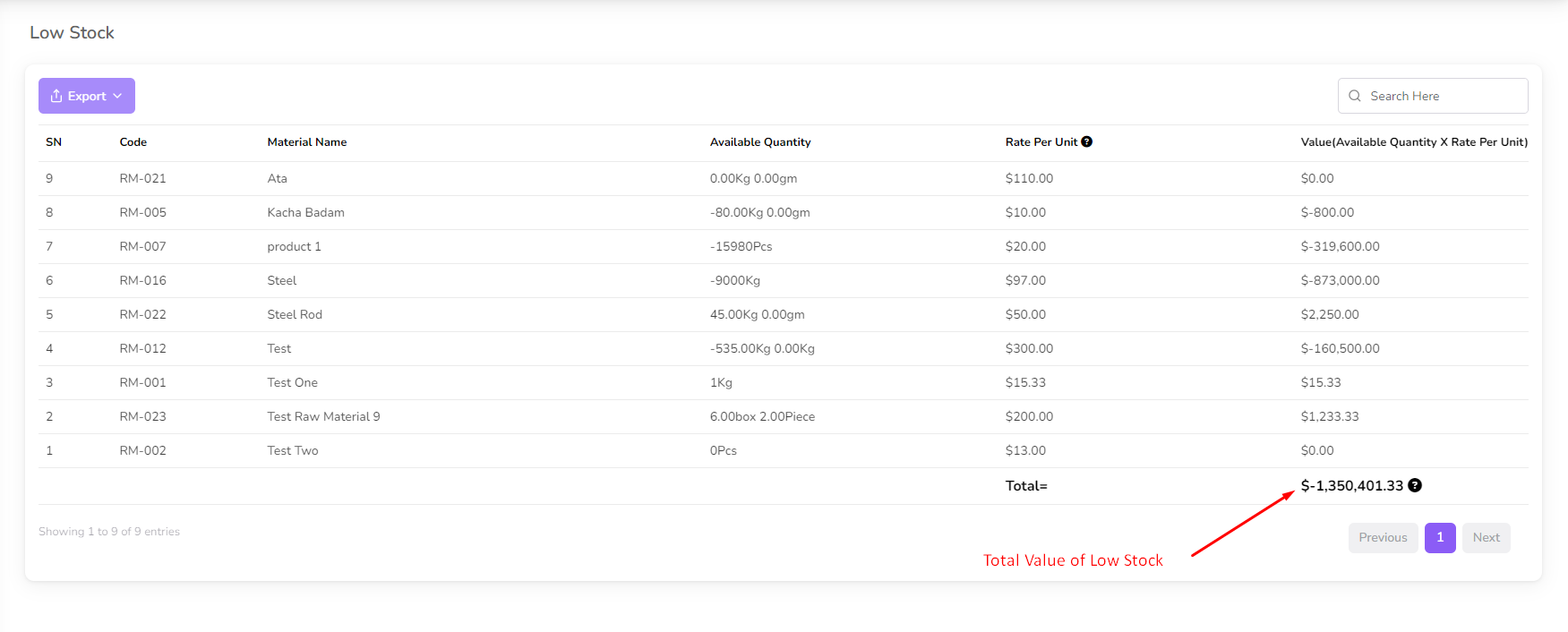
The Low Stock page displays all raw materials with a quantity below the minimum stock level set by the user.
Stock Adjustment
Stock Adjustment allows you to modify the stock quantity of raw materials.
Adding a Stock Adjustment
- Navigate to the RM Stock section from the left sidebar.
- Click on Add Stock Adjustment.
- A form will appear. Select:
- Raw Material
- Quantity
- Type of Adjustment
- Click Submit, and the stock will be adjusted.
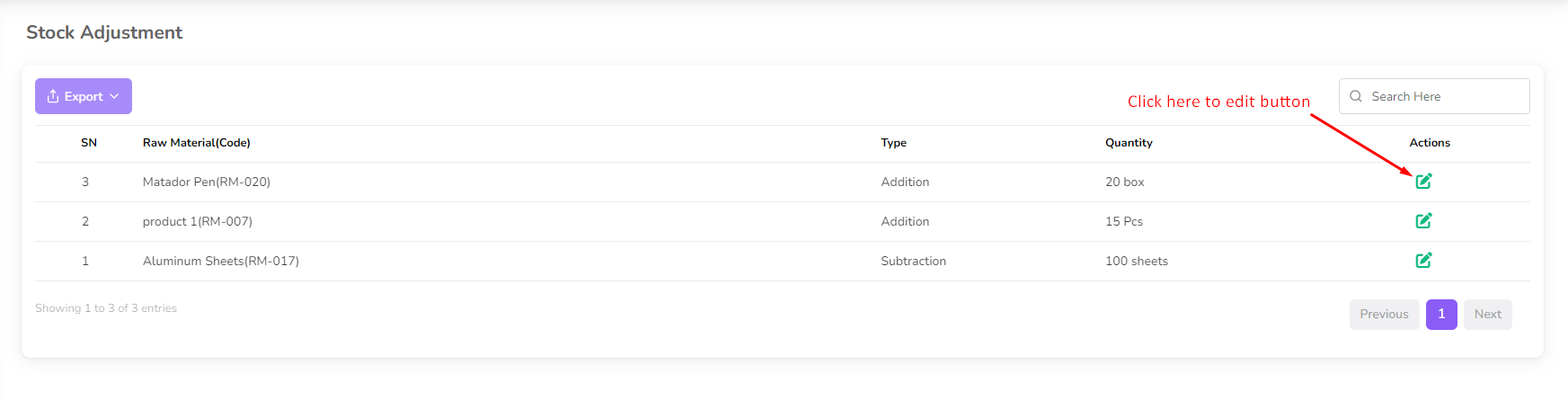
- The adjustment will be recorded in the adjustment list.
Editing a Stock Adjustment
- Click the Edit icon next to an adjustment entry.
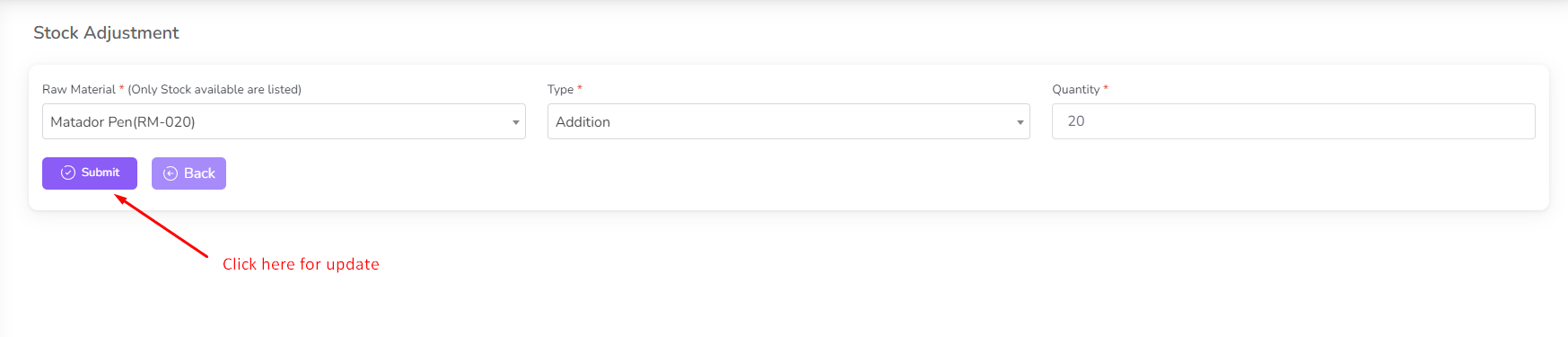
- A form with previous data will open.
- Modify the quantity and type of adjustment as needed.
- Click Submit, and the updated stock quantity will be reflected in the RM Stock.
By following these steps, you can efficiently manage raw material stock levels, ensure smooth production, and maintain accurate inventory records.