Managing the Manufacturing Process
The Manufacture module in BatchEdge helps you oversee and control the production process within your company. It allows you to track raw materials, manage production workflows, and forecast product demand.
Steps to Add a New Manufacture
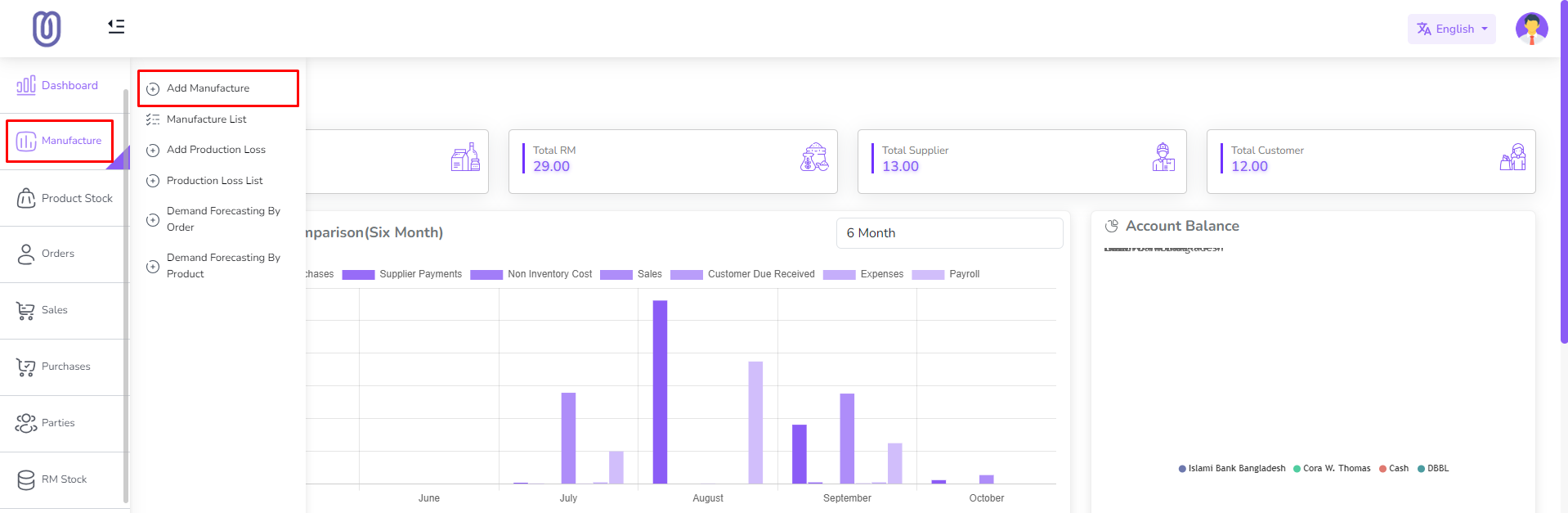
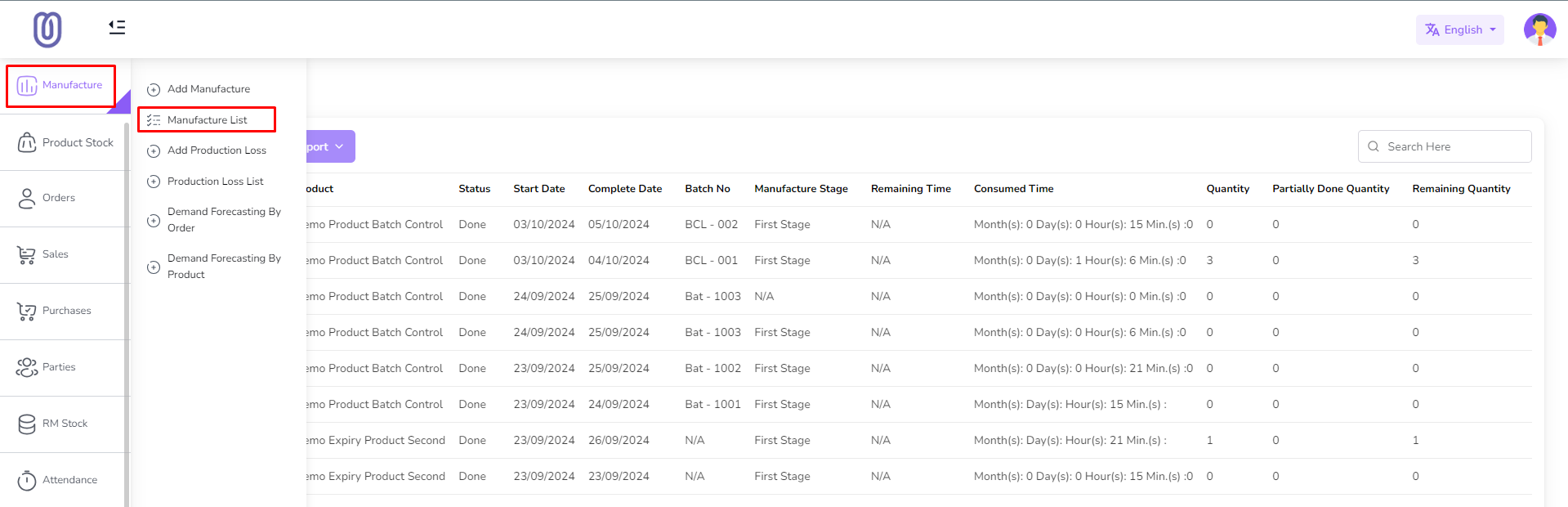
Go to the Manufacture Menu
- Navigate to the Manufacture module from the left sidebar.
- Click on "Add Manufacture".
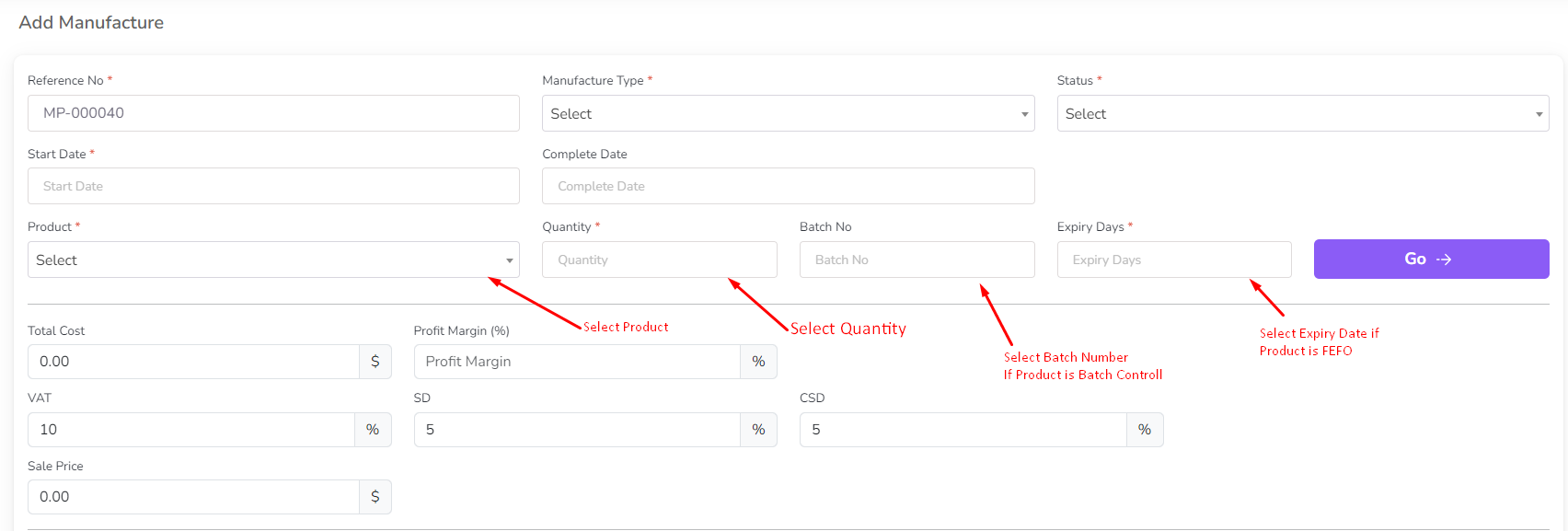
Select Product and Enter Details
- Choose a product and enter the product quantity.
- Click on the "Go" button.
- If the product's stock type is Batch, enter the batch number.
- If the product's stock type is Expiry, enter the expiry date.
- Note: If no product is available, add one first under the Product section.
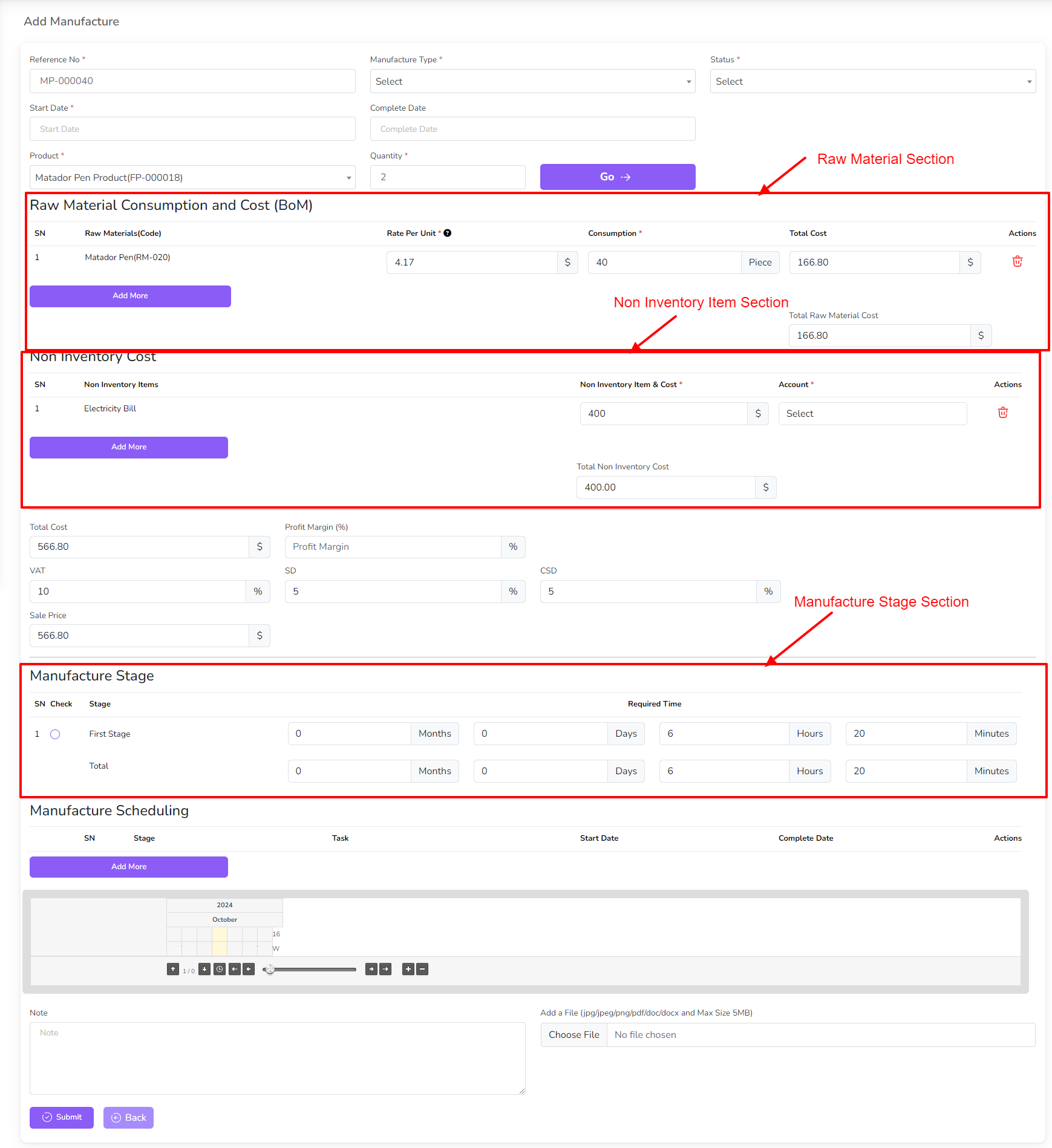
Complete the Manufacture Form
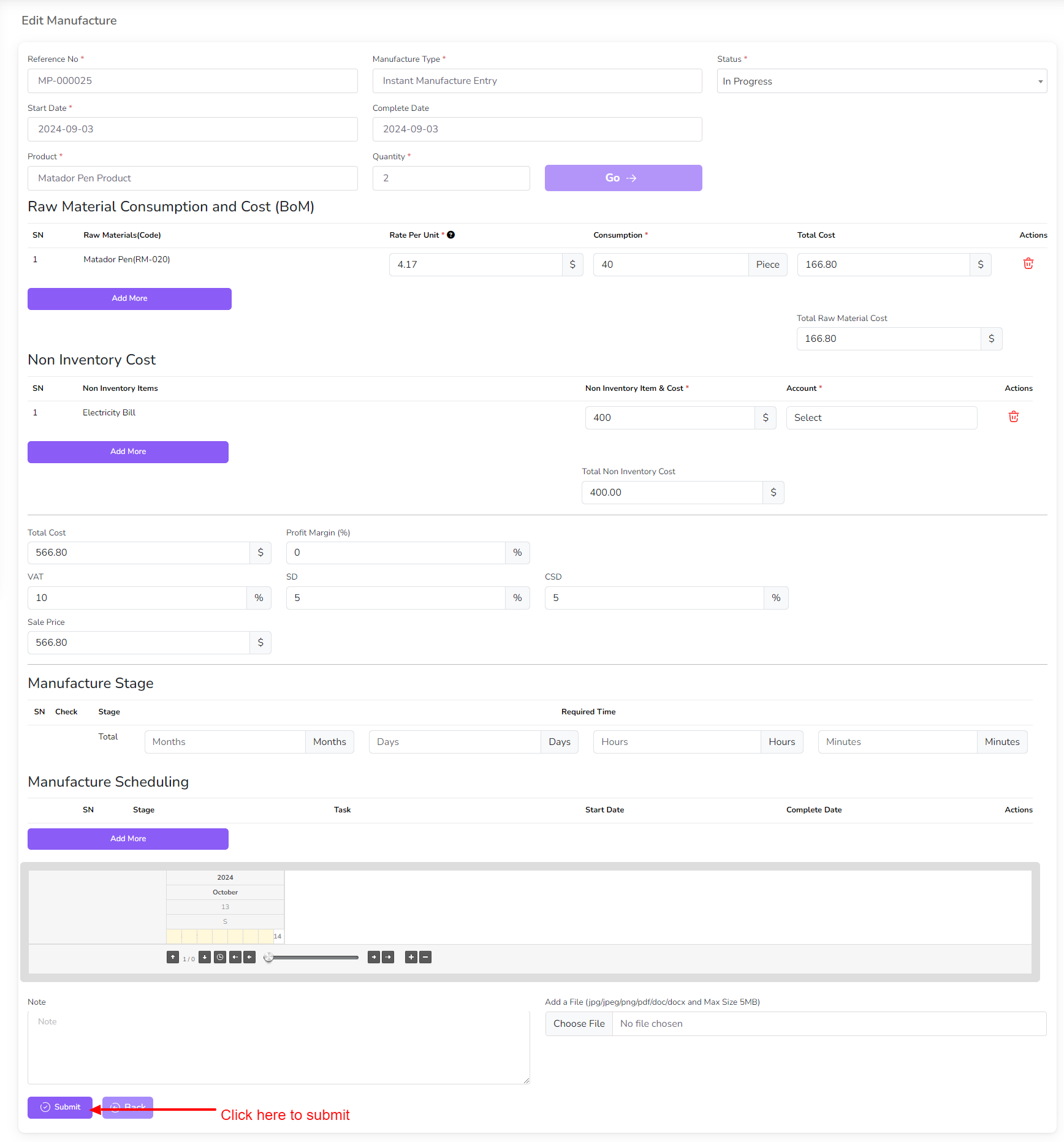
- A form will appear displaying Raw Material, Non-Inventory Items, and Production Stages.
- Adjust the quantity of raw materials, non-inventory item cost, and production stage time as needed.
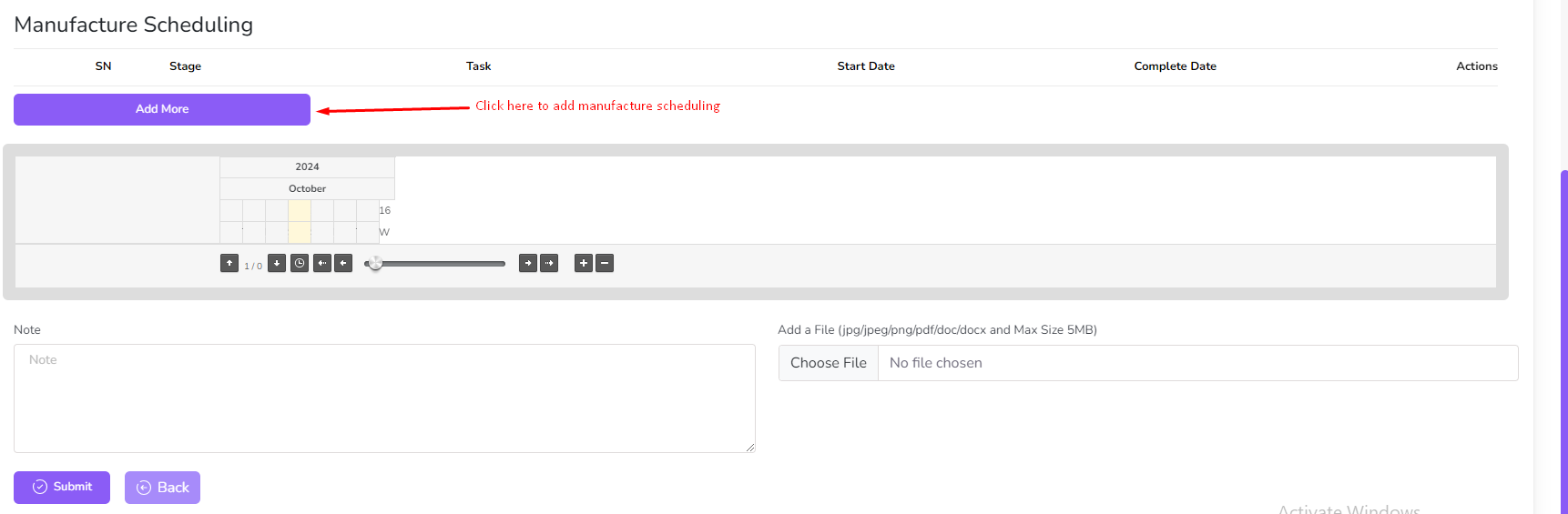
Add a Manufacture Schedule (Optional)
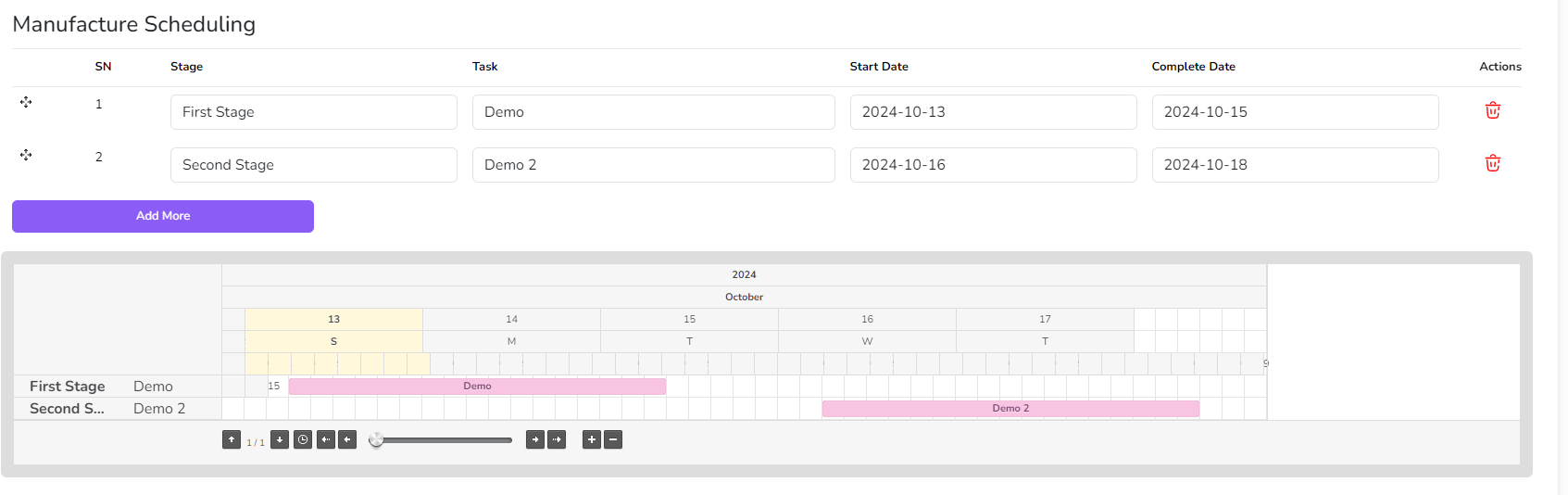
- Schedule your production process in advance by setting specific dates and times.
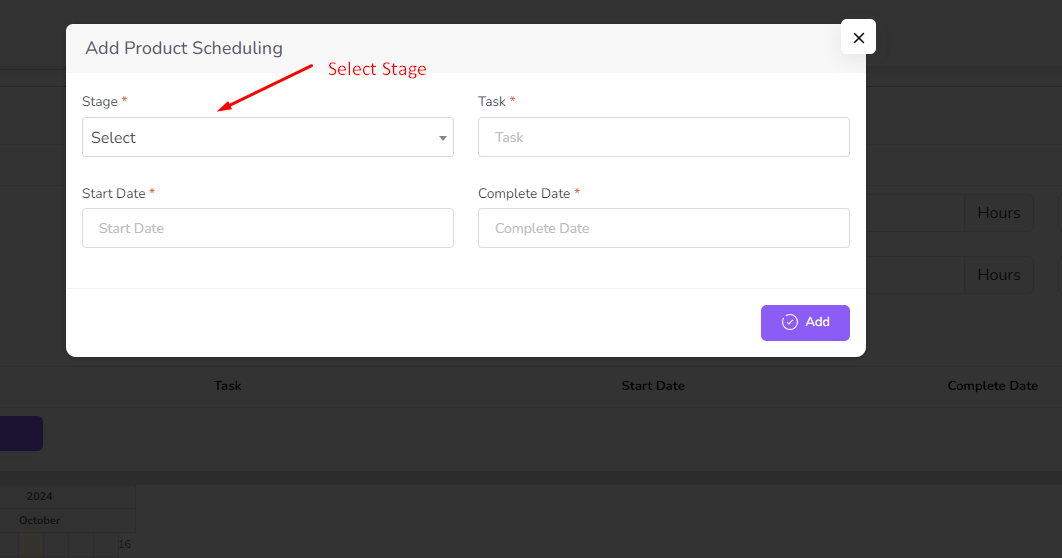
- Click "Add More" in the Manufacture Scheduling table to open a modal.
- Fill out the form and submit it to update the scheduling table.
Editing and Managing Manufacture Records
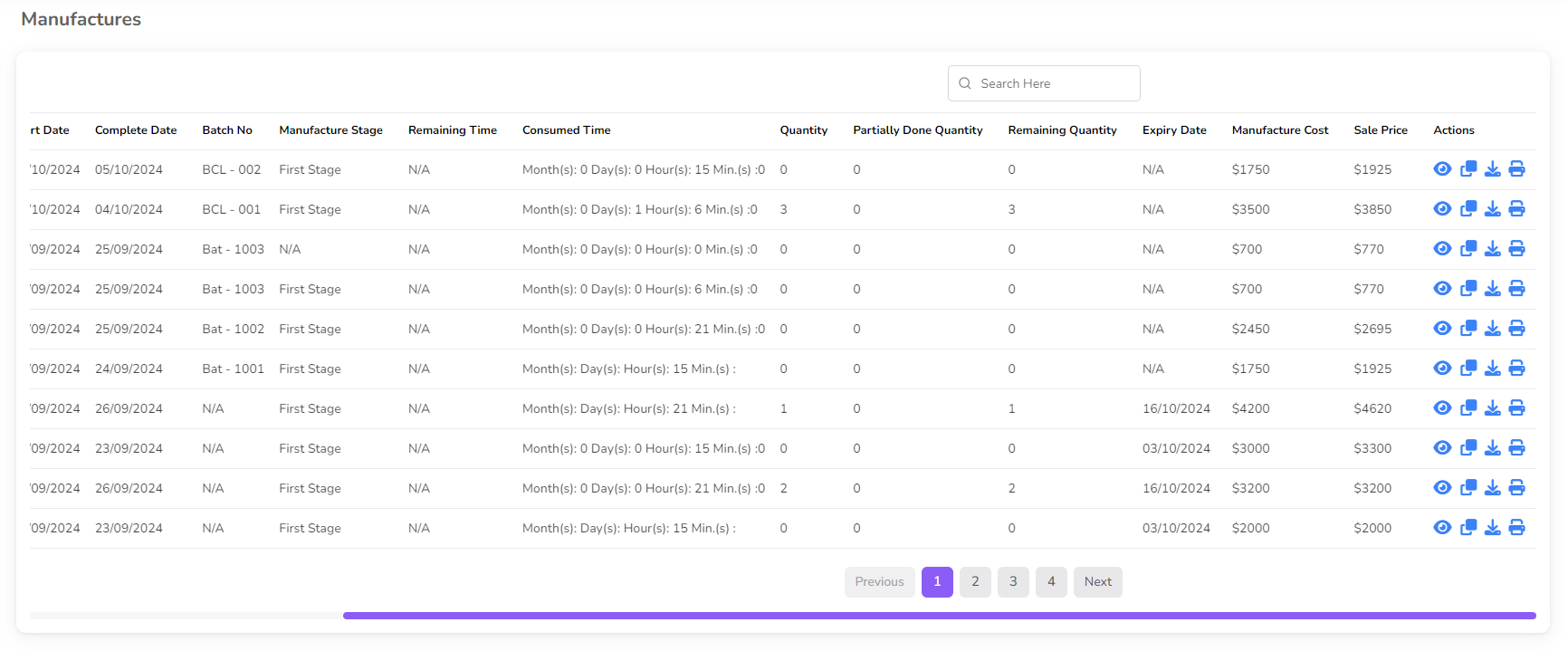
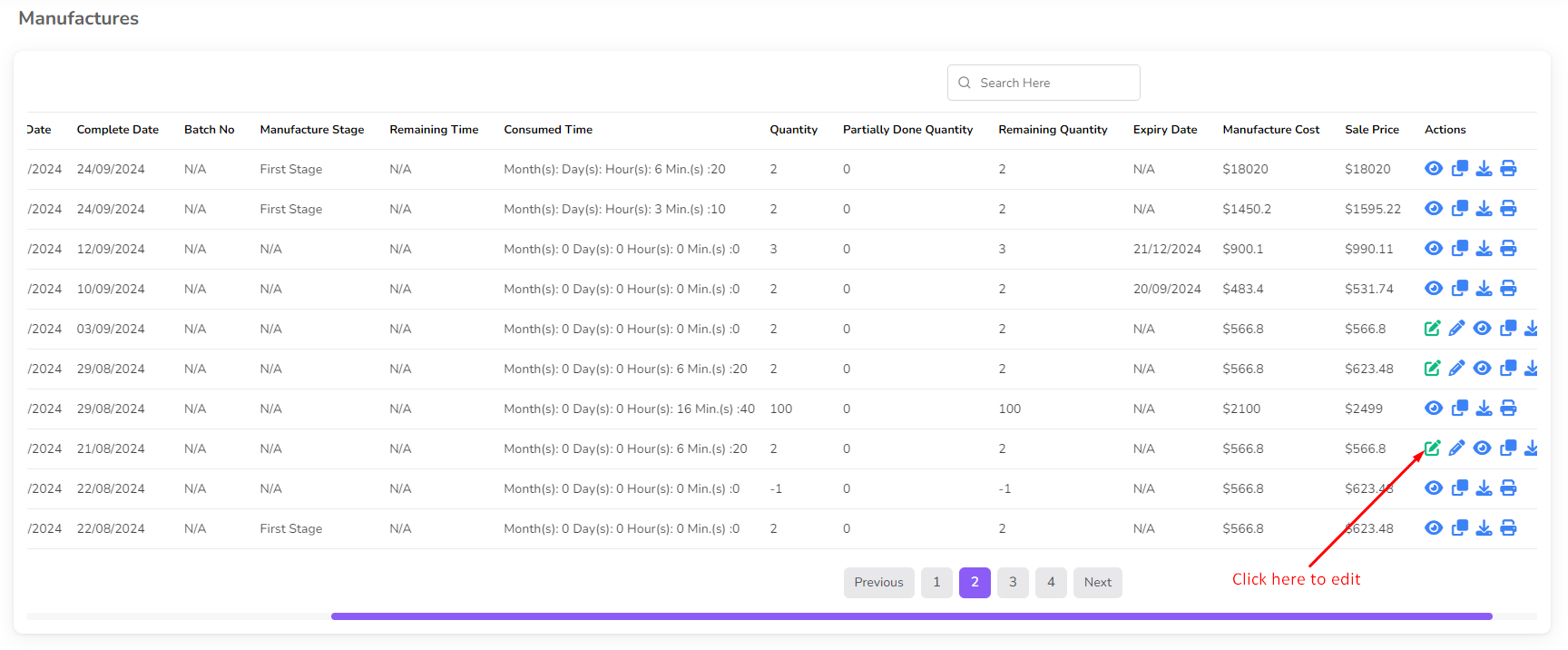
Edit a Manufacture: Click the Edit icon in the action column.
- Note: You cannot edit product, product quantity, batch number, expiry date, or manufacture type once the manufacture is completed.
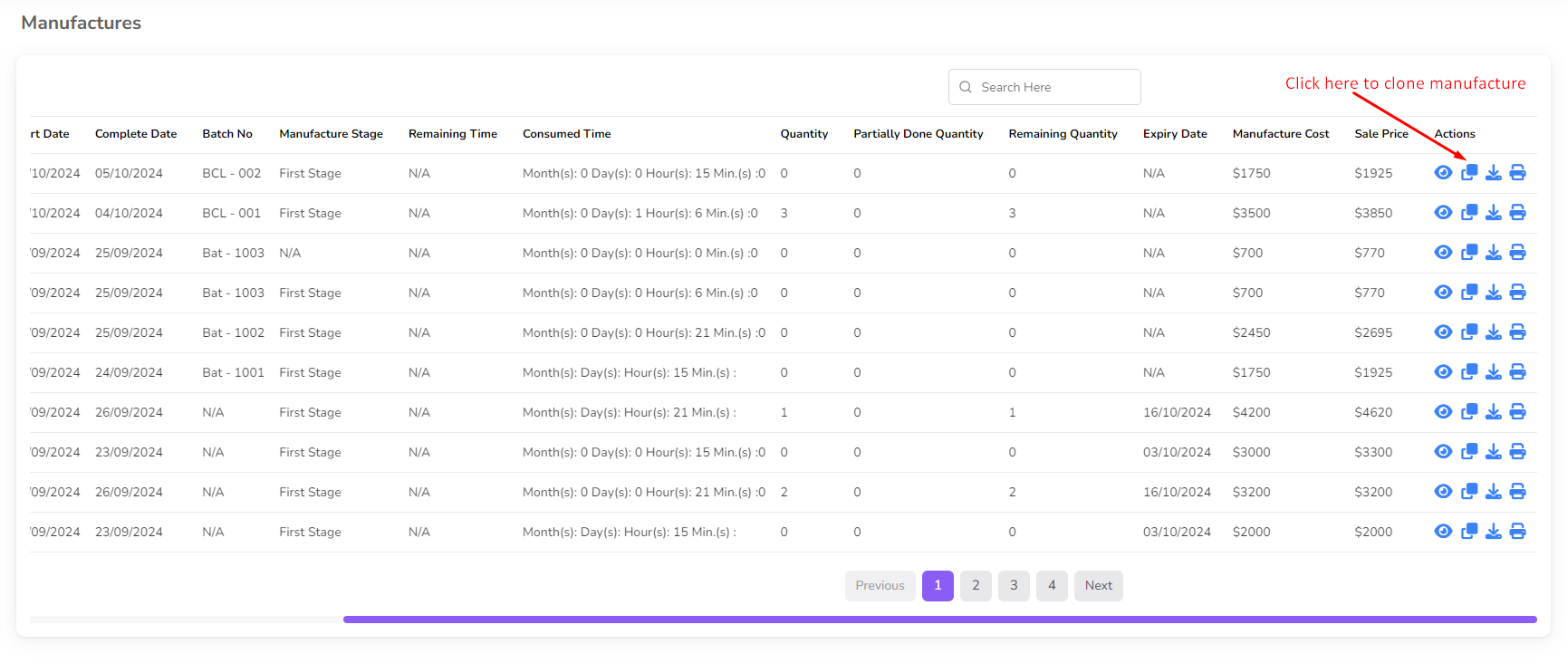
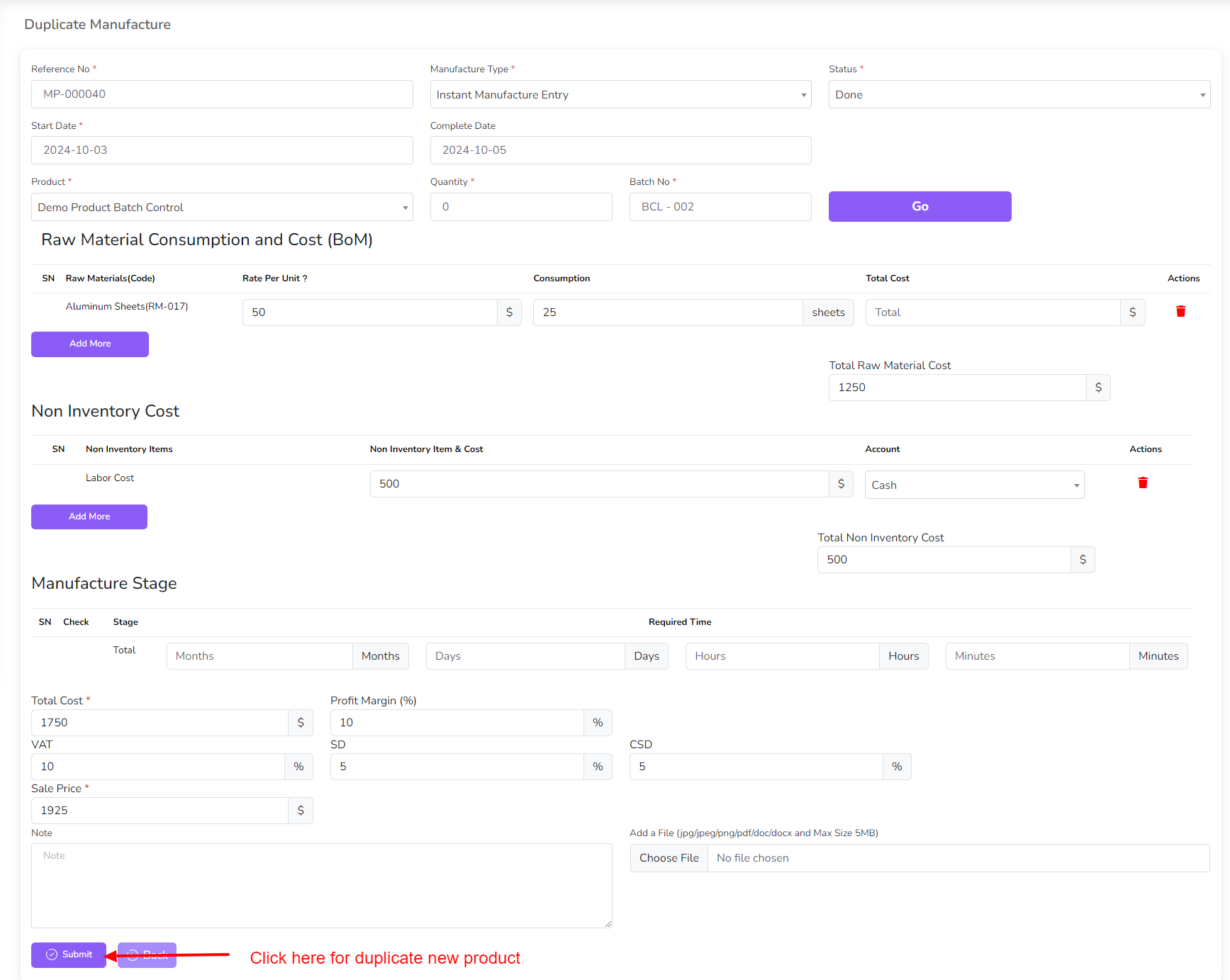
Clone a Manufacture: Click the Clone icon, modify details if necessary, and click "Submit".
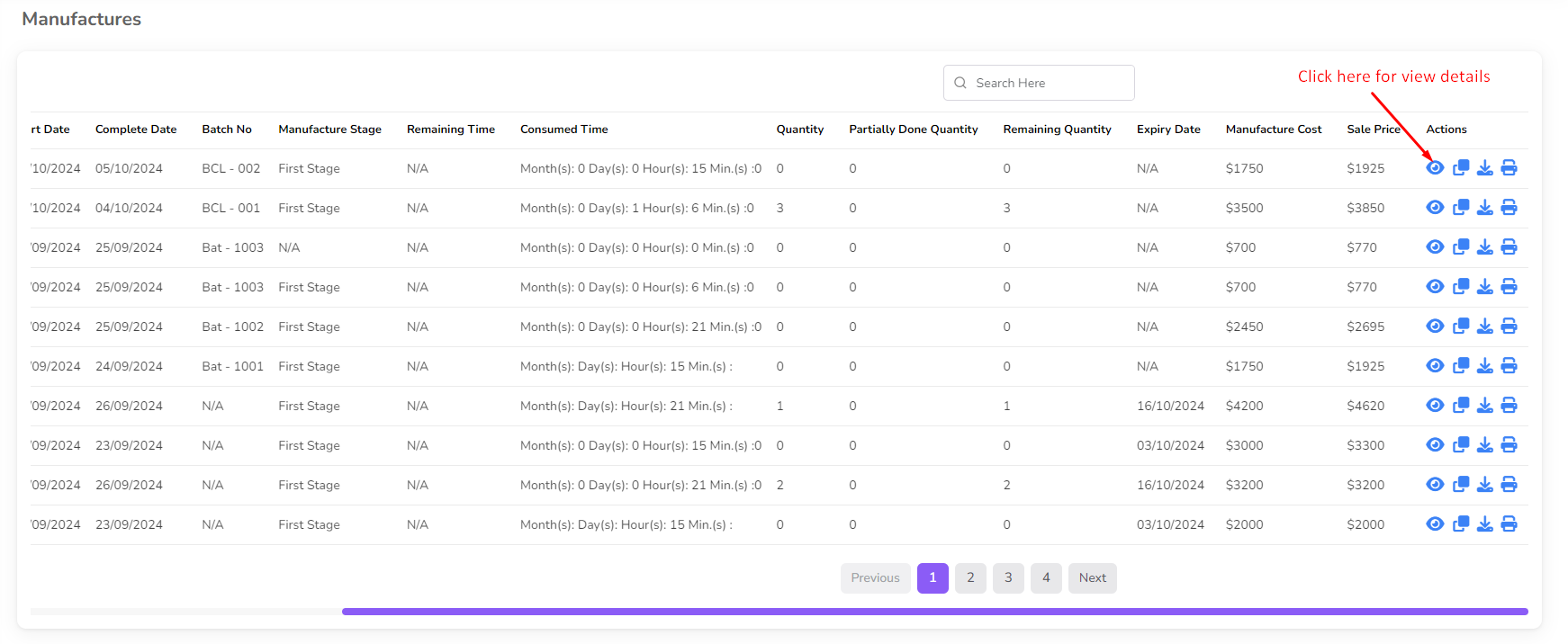
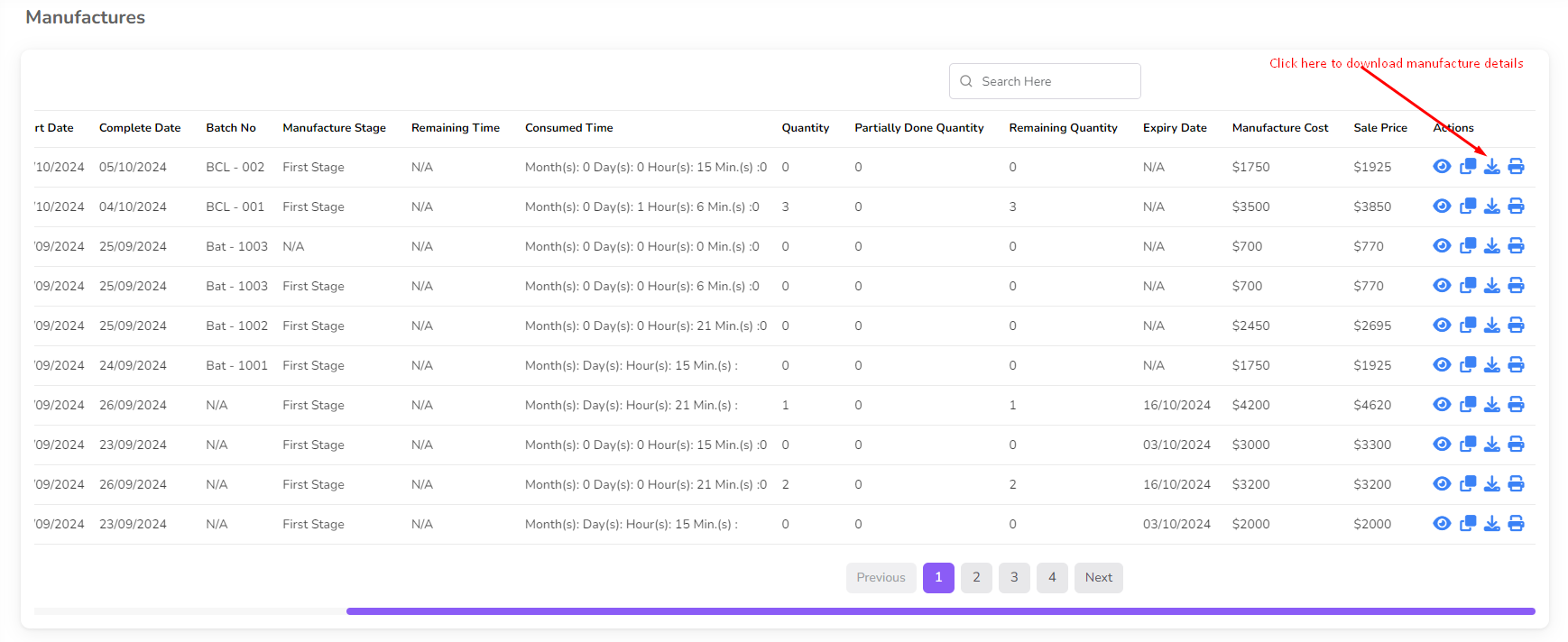
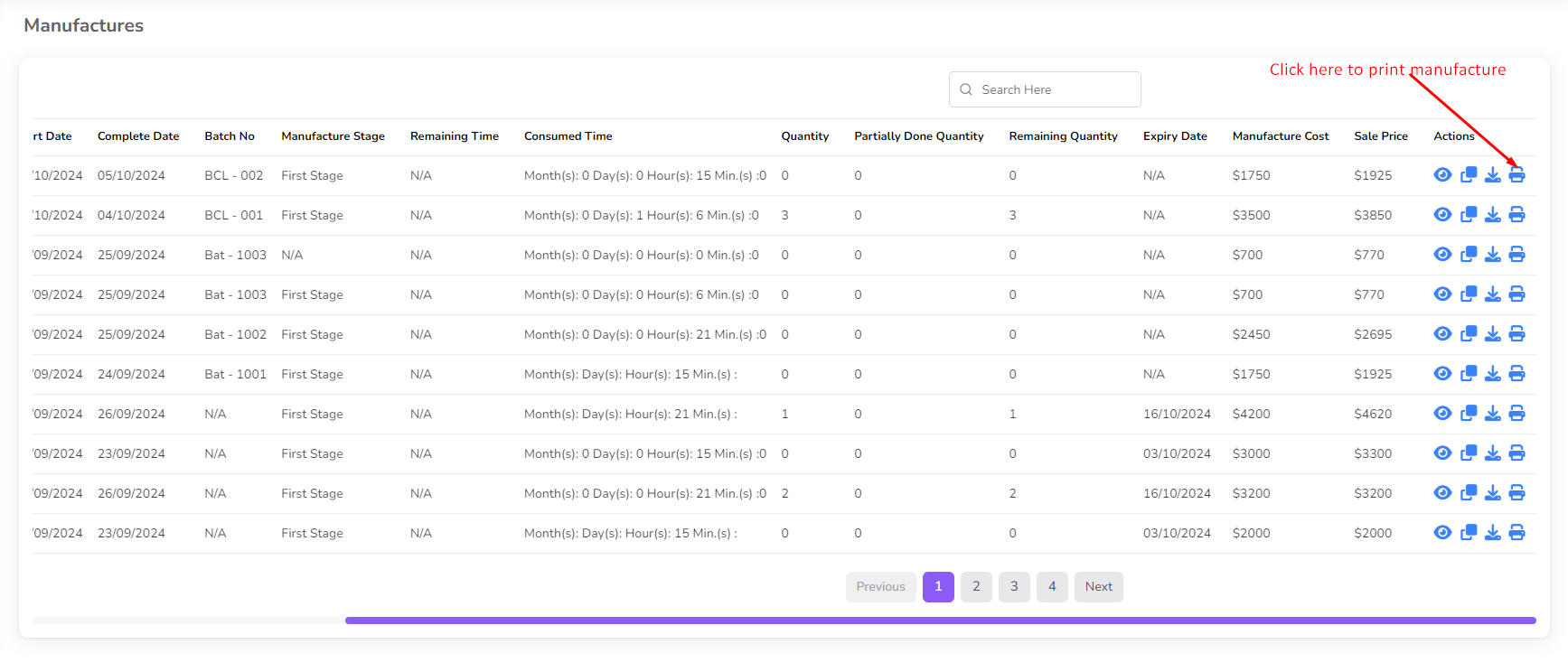
View, Download, or Print Manufacture Details: Click the respective icons (View, Download, or Print) in the action column to access manufacture details.
List of Manufactures: Navigate to the Manufacture List from the left sidebar to see all existing manufacturing records.
Confirmation:
- After submitting a manufacture, it will be listed under the Manufacture List.
- Scheduled production tasks will be automatically reflected in the system.
- Once a manufacture is completed, editing restrictions will apply.
This guide ensures efficient management of your manufacturing workflow in BatchEdge, optimizing production tracking and scheduling.