Payroll
In this module, you can manage payroll for your employees. You can process salaries, bonuses, and deductions efficiently.
Payroll Management
The Payroll Management feature allows you to effectively manage employee salaries, bonuses, and deductions. You can track payroll history and generate payroll reports.
Accessing Payroll Management
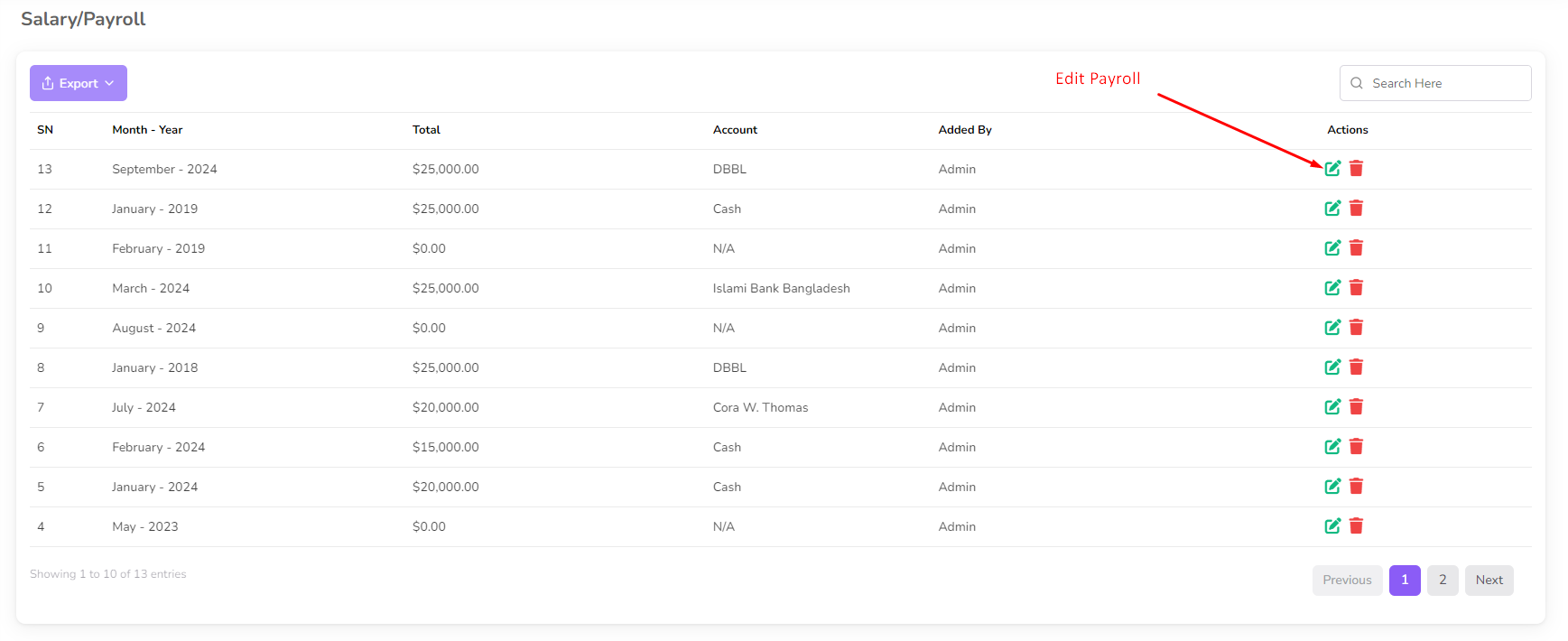
To access Payroll Management, navigate to the Payroll menu from the left sidebar.
Once on the Payroll Management page, you can view details such as the employee name, salary, and account information.
Processing Payroll
To process payroll, select Add Payroll from the left submenu.
- Enter the Month and Year for the payroll period.
- Click on the Submit button.
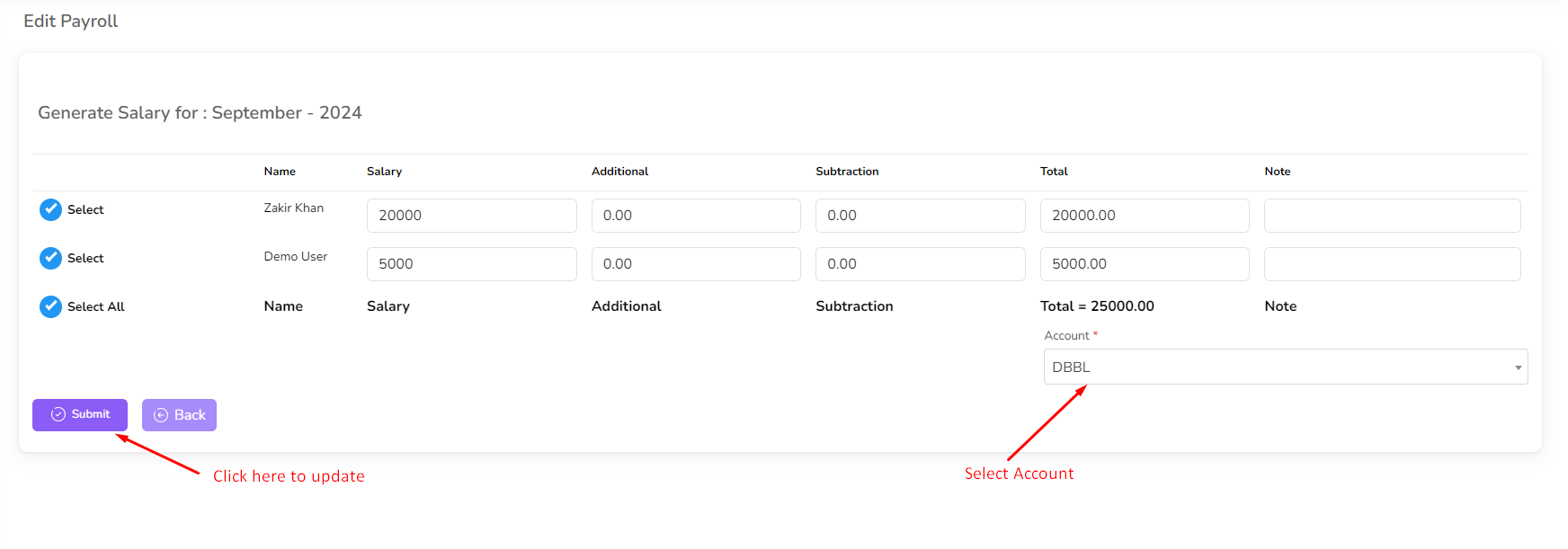
- After adding payroll, you will be redirected to the payroll edit page.
Alternatively, you can click on the Edit icon next to an existing payroll entry to make modifications.
Editing Payroll
- Click on the Edit icon next to the payroll you want to modify.
- Make the necessary changes.
- Click on the Submit button to save the changes.
Deleting Payroll
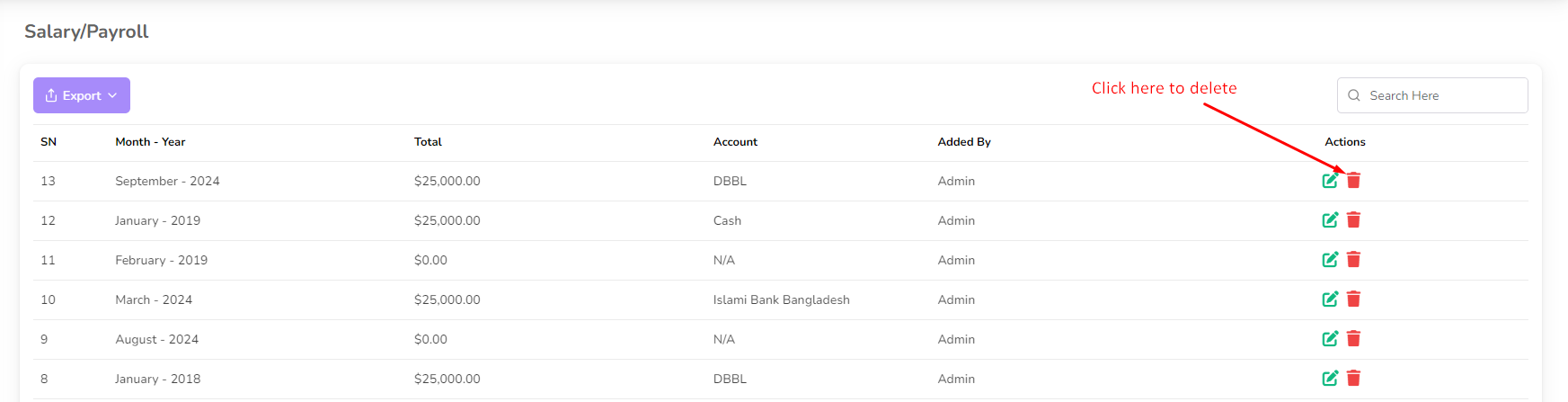
- Click on the Delete button next to the payroll entry you want to remove.
- A confirmation dialog will appear.
- Confirm the deletion, and the payroll entry will be removed from the list.