# Attendance Management Guide
Category: Workforce Management
Short Description: Learn how to track, manage, and edit employee attendance records in BatchEdge.
Attendance Management
The Attendance Management feature allows you to efficiently track employee attendance, view attendance history, and generate attendance reports.
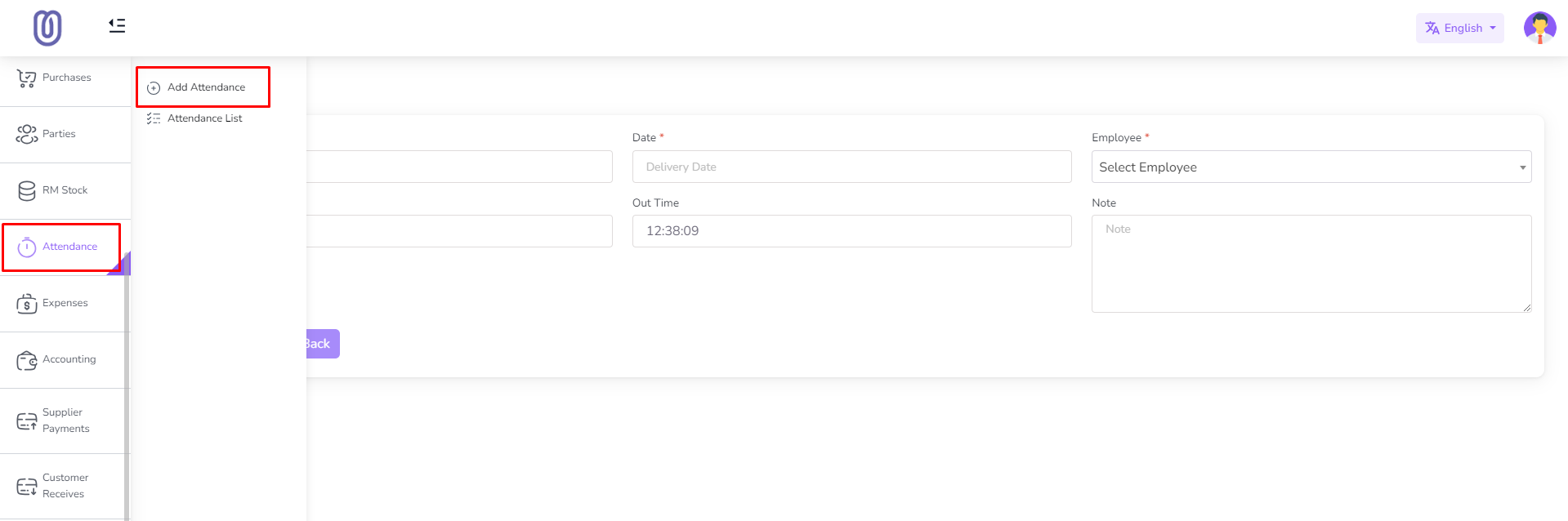
Accessing Attendance Management
- Navigate to the Attendance menu from the left sidebar.
Viewing Attendance Records
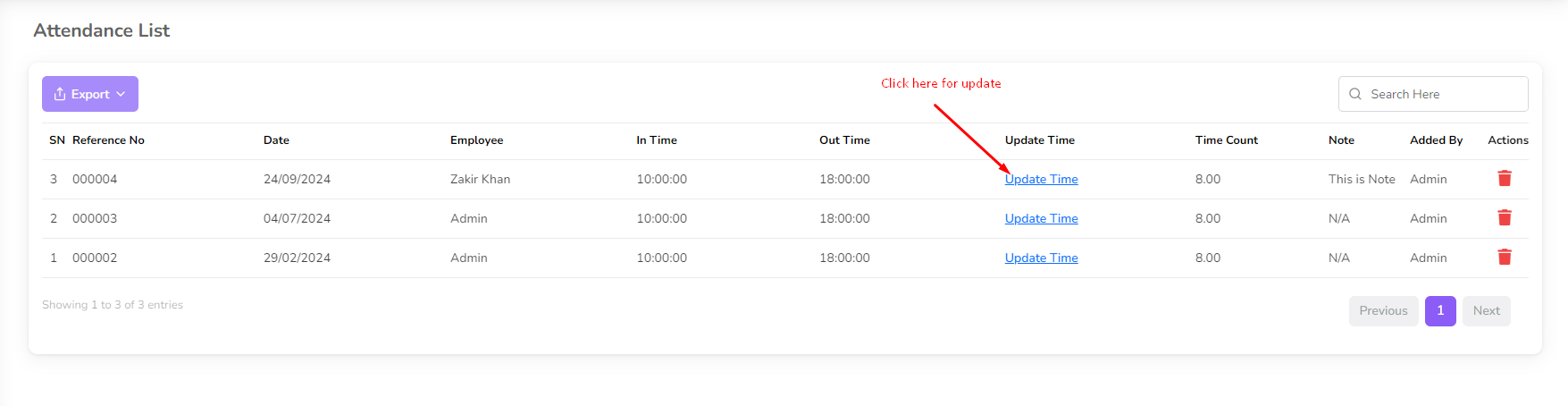
- Click on the Attendance List menu.Attendance Management Guide
- The list displays attendance details for all employees, including:
- In Time
- Out Time
- Total Hours Worked
Adding Attendance
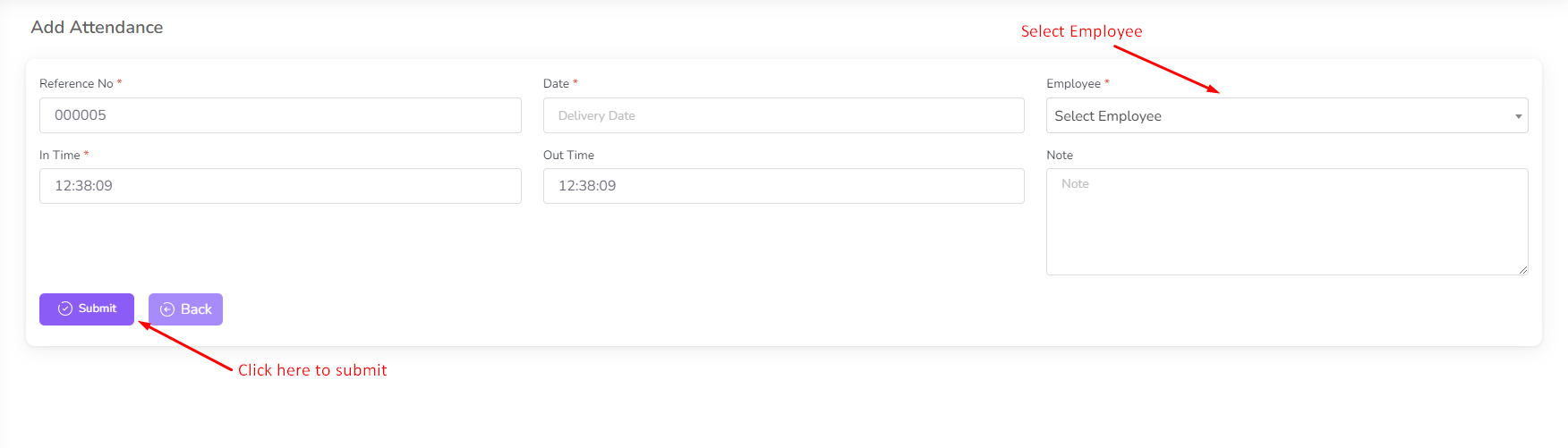
- Click on the Add Attendance menu.
- Select the Employee, Date, and Time.
- Click Submit to save the record.
Editing Attendance
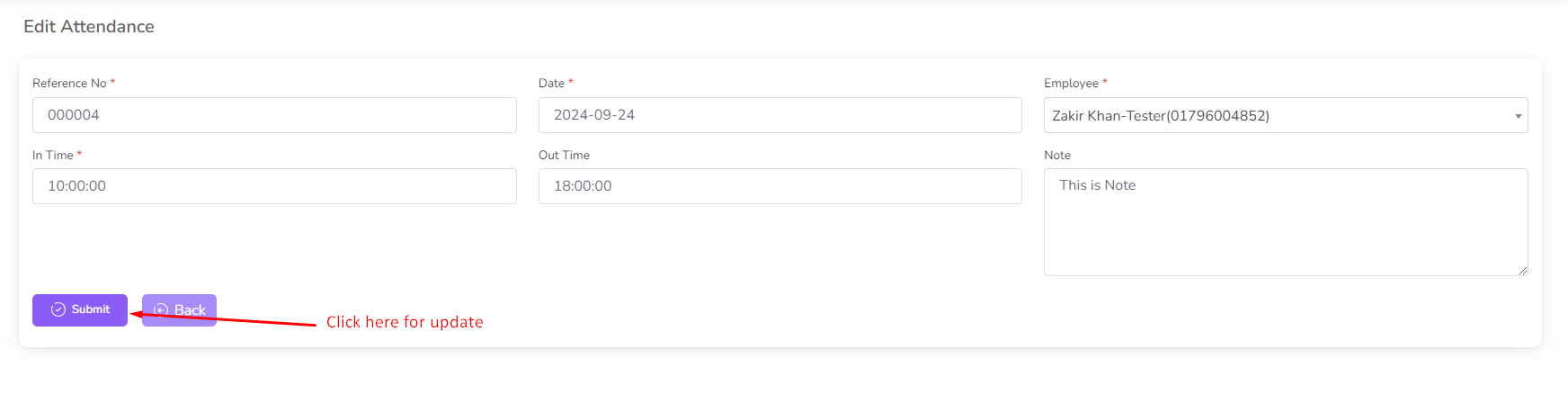
- Click on Update Time next to the attendance entry.
- A form will open, displaying the existing data.
- Modify the time as needed and click Update to save the changes.
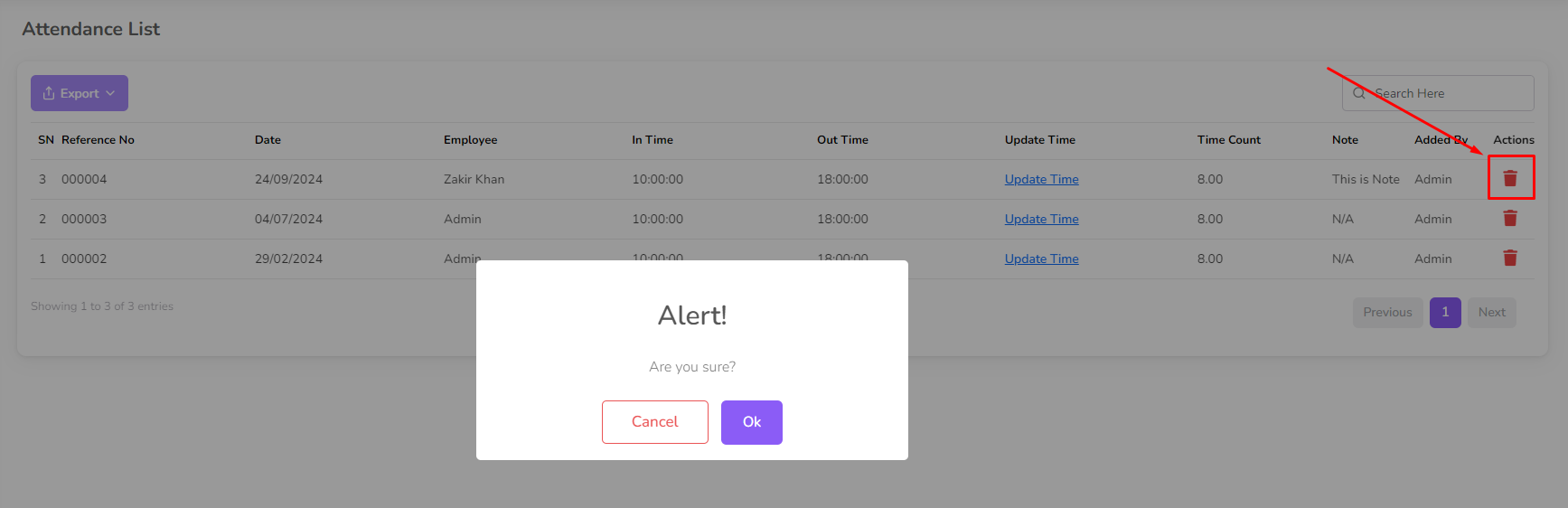
Deleting AttendanceAttendance Management Guide
- Click on the Delete icon next to the attendance entry.
- Confirm the deletion to remove the record permanently.
By following these steps, you can efficiently manage employee attendance records and ensure accurate time tracking.