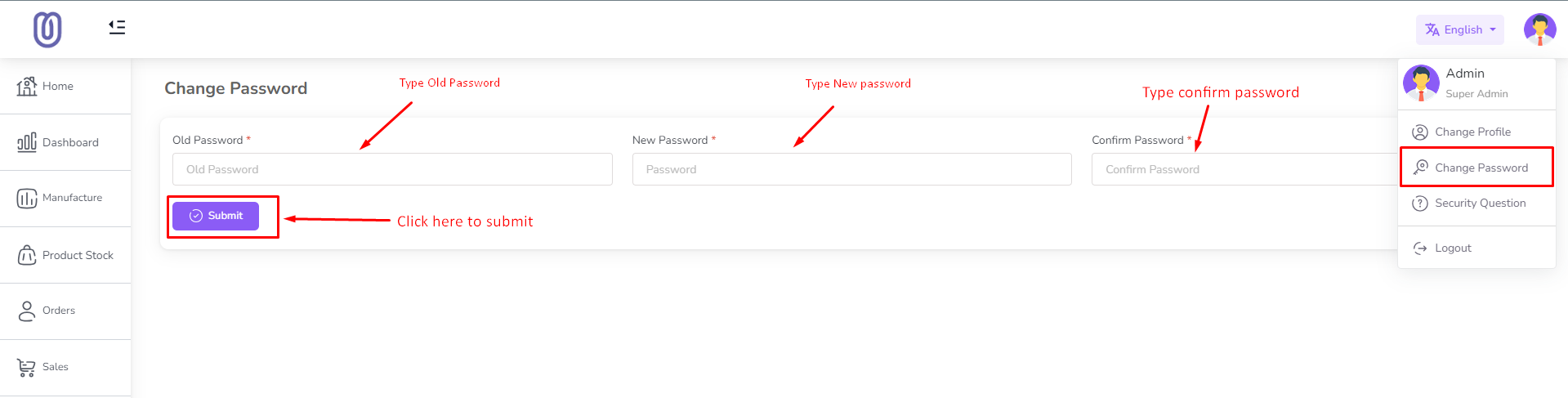
To change your password, follow these steps:
Navigate to User Profile:
Click on the User Profile section located in the top-right corner of the screen.
Select “Change Password” from the dropdown menu.
Enter Password Details:
Enter your Current Password.
Type your New Password.
Re-enter the new password in the Confirm Password field.
Save Changes:
Click the “Submit” button to save your new password.
A confirmation message will appear once the password is successfully updated.